
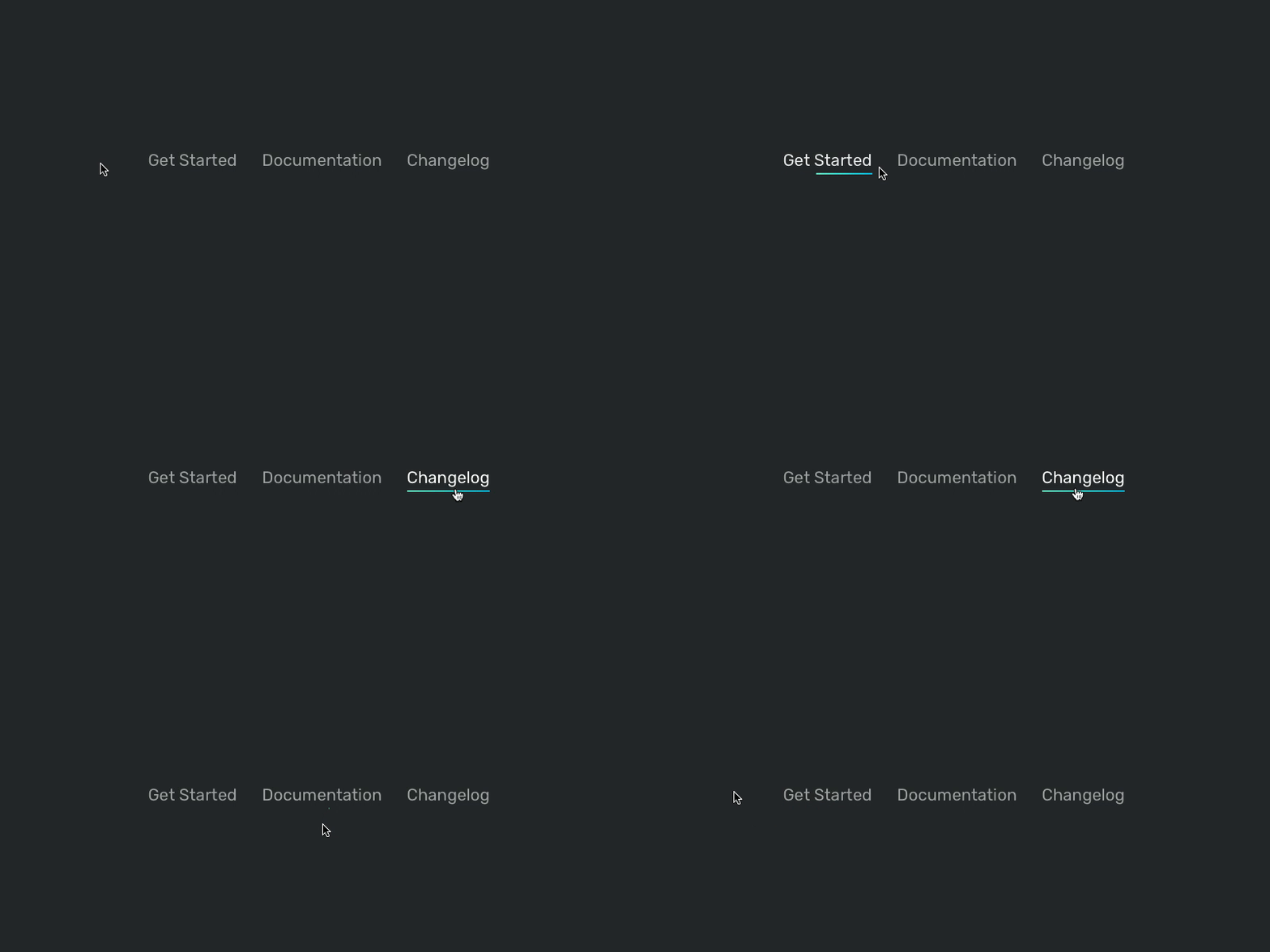
We really like the CSS variables and what we can do with them. Changing them in JS is like using useState in React: The browser automatically re-renders the necessary parts. This allows you to build powerful effects in a few lines of code. My favourite is to track the position of the mouse to build directional cursor effects. Believe me: It’s a small detail, but you can’t stop hovering once you’ve seen it.
This tutorial here, explains the little magic behind the hover effect we’ve found on the menu of the Ackee site.
Track the position
We need to know the position of the cursor to build a directional effect. This can be done in JS.
document.querySelectorAll('.underline').forEach((elem) => {

	elem.onmouseenter =
	elem.onmouseleave = (e) => {

		const x = e.pageX - elem.offsetLeft
		elem.style.setProperty('--x', `${ x }px`)

	}

})
The CSS variable --x now contains the position of the mouse relative to the element. It will update whenever the mouse enters and leaves the element.
Reality however showed me that it looks a little bit weird when x is near, but not exactly left (0) or right (elem.clientWidth). Let’s fix this by adding a tolerance.
document.querySelectorAll('.underline').forEach((elem) => {

	elem.onmouseenter =
	elem.onmouseleave = (e) => {

		const tolerance = 10

		const left = 0
		const right = elem.clientWidth

		let x = e.pageX - elem.offsetLeft

		if (x - tolerance < left) x = left
		if (x + tolerance > right) x = right

		elem.style.setProperty('--x', `${ x }px`)

	}

})
Styling:
text-decoration: underline can’t be animated. We’re therefore adding a line below the element using an ::after pseudo element.
.underline {

	position: relative;
	color: rgba(255, 255, 255, .7); // 1
	text-decoration: none; // 1
	transition: color .3s cubic-bezier(.51, .92, .24, 1);

	// 2
	&::after {
		content: '';
		position: absolute;
		left: 0;
		right: 0;
		top: 100%;
		height: 2px;
		background: linear-gradient(135deg, rgb(115, 250, 200), rgb(0, 190, 225));
		transform: scaleX(var(--scale, 0)); // 3
		transform-origin: var(--x) 50%; // 4
		transition: transform .3s cubic-bezier(.51, .92, .24, 1);
	}

	&:hover {
		color: white;
	}

	&:hover::after {
		--scale: 1; //5
	}

}
- Remove the default styling of the link
- Add a custom underline
- Use
--scaleto show and hide the underline (starting with0= hidden) - Use
--xto define the origin of the scale transform (the position of the mouse) - Show the underline by changing the
--scalevariable
Conclusion:
That’s it already. A few lines of code and hovering links makes fun, again. Add the missing HTML and enjoy:

Bookmarked!, I really like your website!
Valuable info. Fortunate me I discovered your site by accident,
and I’m stunned why this coincidence did not took place
earlier! I bookmarked it.
Hi there Dear, are you truly visiting this website regularly, if so then you will absolutely take pleasant know-how.
I am truly glad to read this web site posts which contains tons of helpful data, thanks
for providing these statistics.
“You ought to take part in a contest for one of the best websites on the web. I am going to highly recommend this blog!”
Thanks!
Wow that was unusual. I just wrote an very long comment but after I clicked submit my comment didn’t appear.
Grrrr… well I’m not writing all that over again. Anyways,
just wanted to say fantastic blog!