
Excellent search box design help to enhance user experience. An nicely compiled list of twenty awesome HTML/CSS/Bootstrap search bar designs for your inspiration.
The search bar connects people with websites, mobile apps, and the world. It’s a conversation window between the user and the app or website. In the face of complicated web content, users express their needs by searching keywords, expecting to obtain accurate information and a quick and smooth user experience.
A well-designed search bar can improve conversion rates and enhance user experience. In spite of its importance, the search bar is a simple element on a website or app and can very easily get ignored.
Like web design and application design, search bar design is worth studying by designers. Today, we will discuss about beautiful search bar designs and where to get great search bar design inspiration from.
1. Search Form With Animated Search Button

HTML/CSS Code – https://codepen.io/himalayasingh/pen/dqjLgO
Features:
- Animated search button
- Search Box designed with HTML/CSS
This is a search form created using HTML/CSS. Through CSS code, the magnifier button has an animation effect that can be converted to a right arrow when hovering. For your better understanding and learning, the designer Himalaya Singh released the code for your reference.
2. Animated Search Bar
HTML/CSS Code – https://codepen.io/AlbertFeynman/pen/BPvzWZ
Features:
- HTML/CSS design
- Search button animation
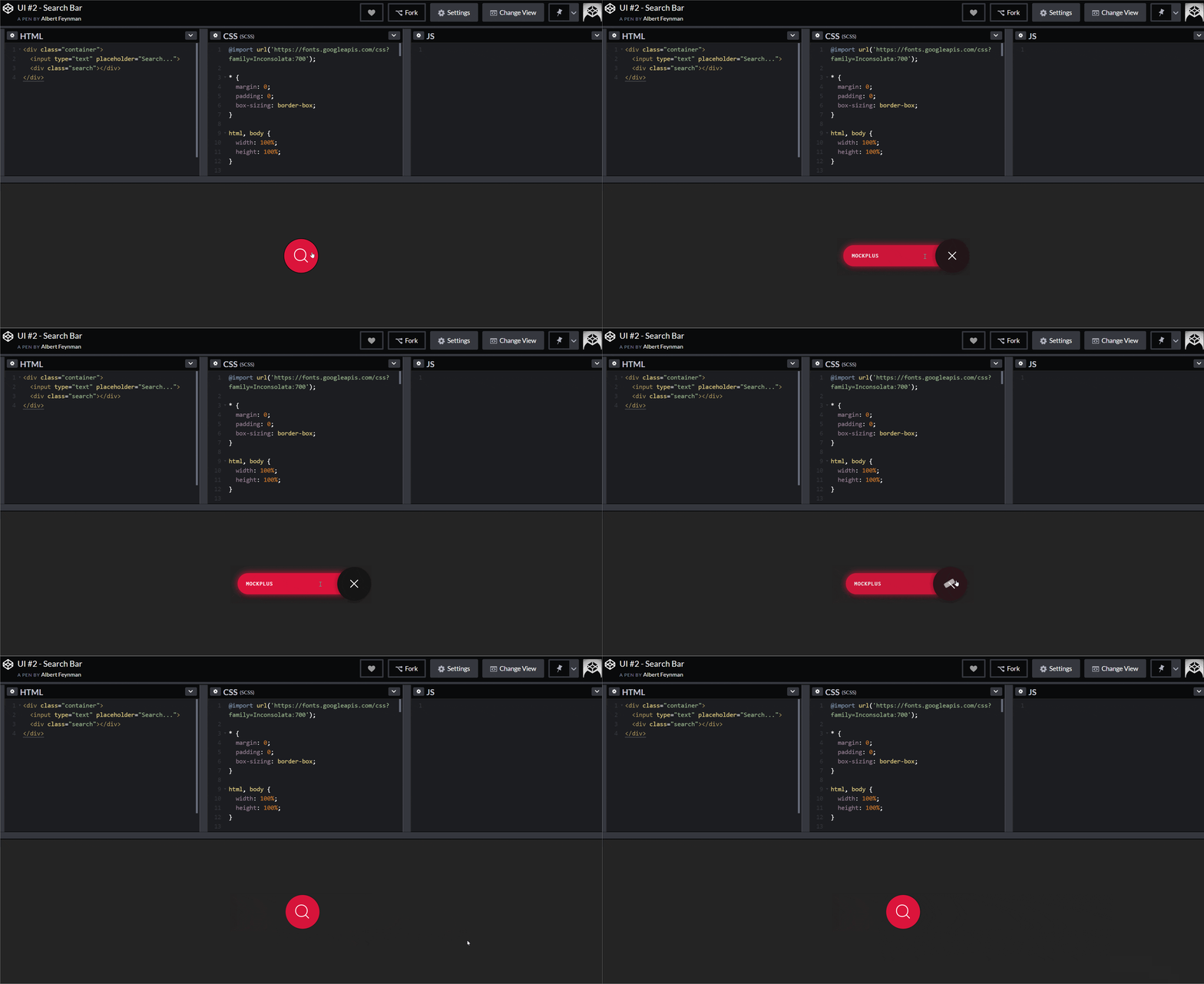
Traditional search box design is usually limited to a search box, a prompt and a delete button. But in fact, a simple search box can be smartly designed with pleasure. Such as the delete button, it not only deletes the search content, but also closes the search box quickly.
3. Expandable Search Form with CSS3
HTML/CSS Code – https://codepen.io/huange/pen/rbqsD
Features: Expandable search box with input words
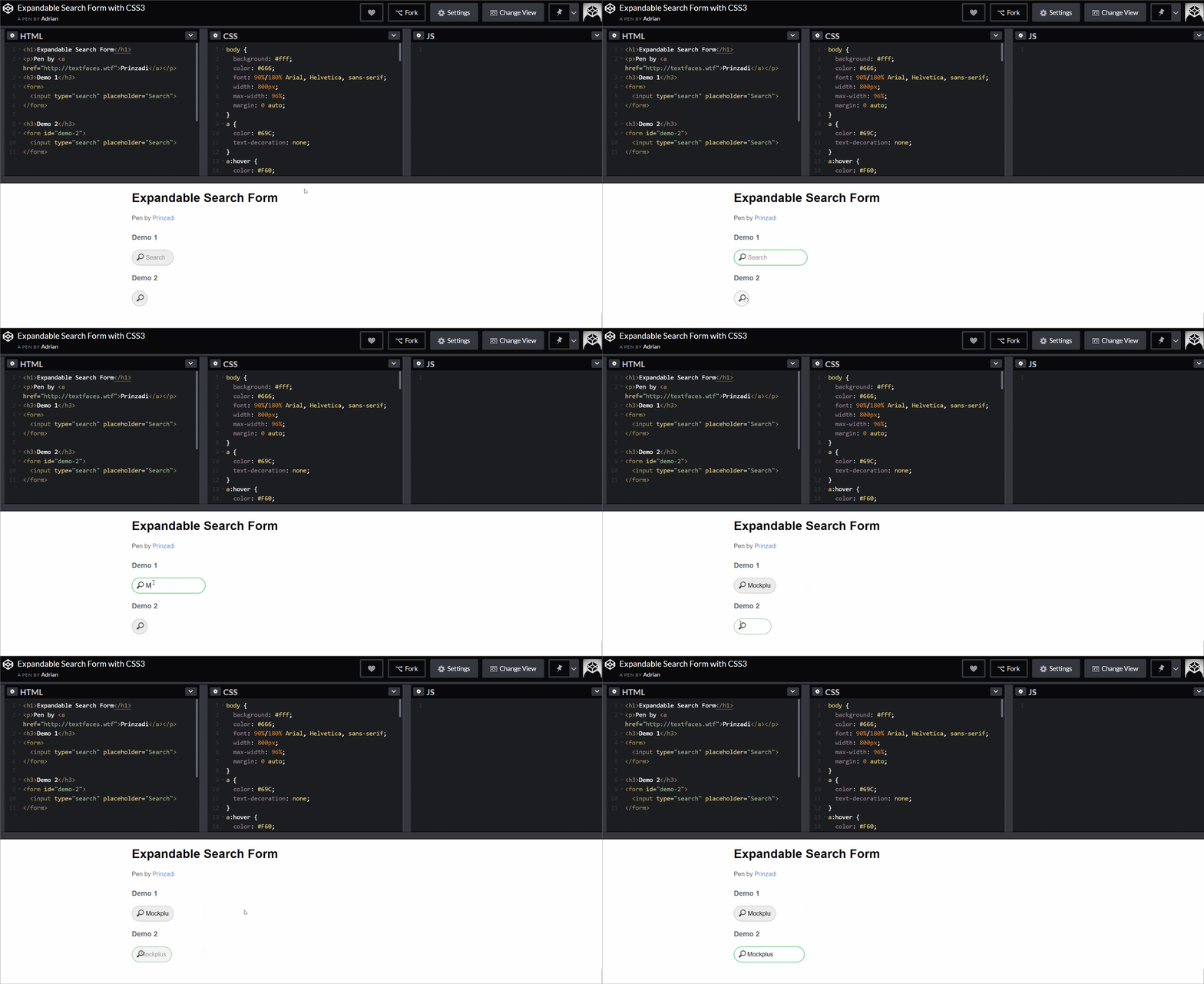
This is an adaptive search bar design example. As you can see in the demo, the search box expands the frame based on the number of characters entered. The use of CSS3 allows it to remain styled even after expansion.
4. SimpleSearch Bar
HTML/CSS Code – https://codepen.io/huange/pen/rbqsD
Features: color border + default prompt + search button
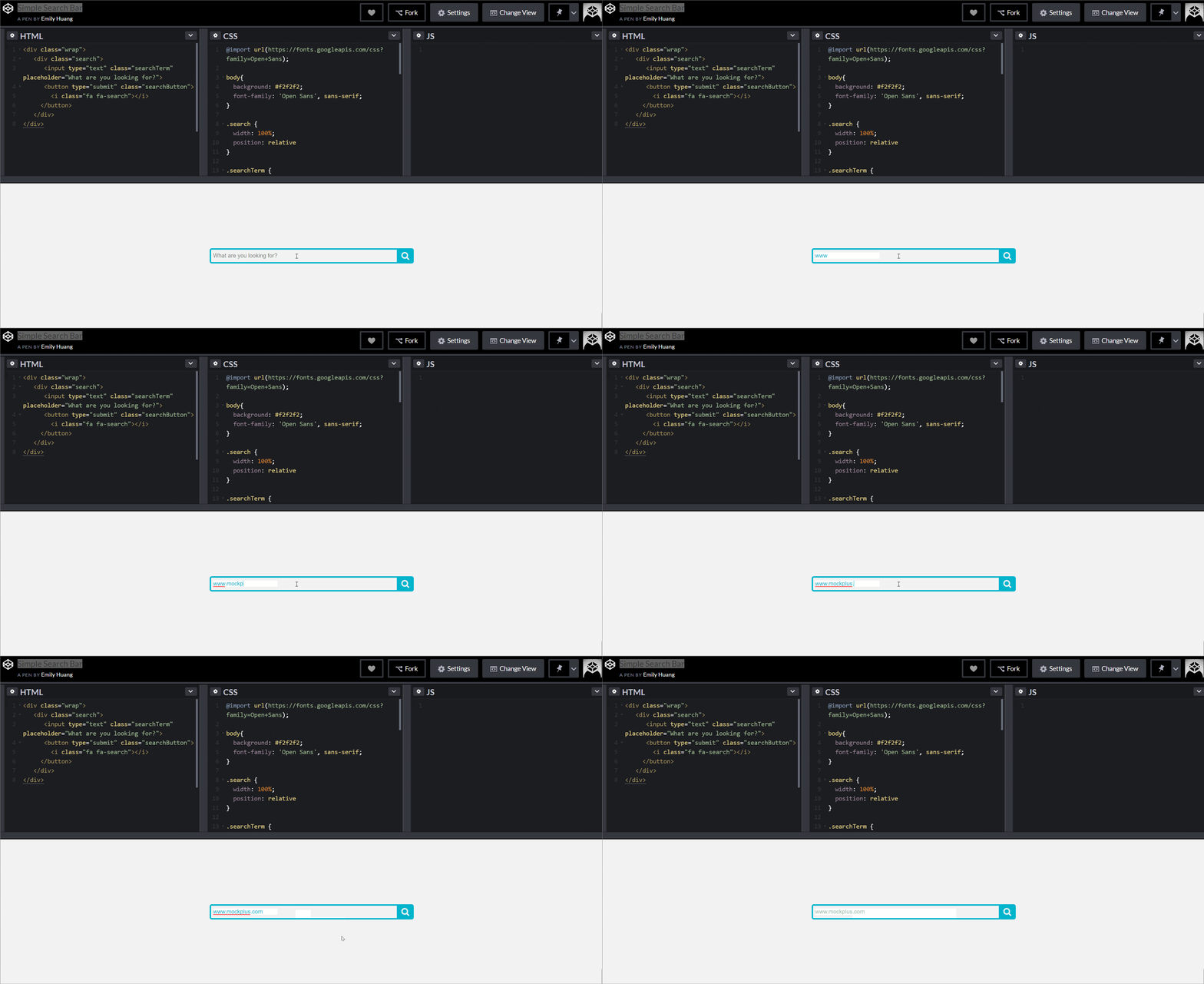
After seeing too many fancy designs, a simple search box design is visually refreshing. The elegant blue background and white search button with the default prompt text allow users to easily and directly implement the search function.
5. Search Button Animation
HTML/CSS Code – https://codepen.io/kristyjy/pen/zGOXYb
Features: search button animation
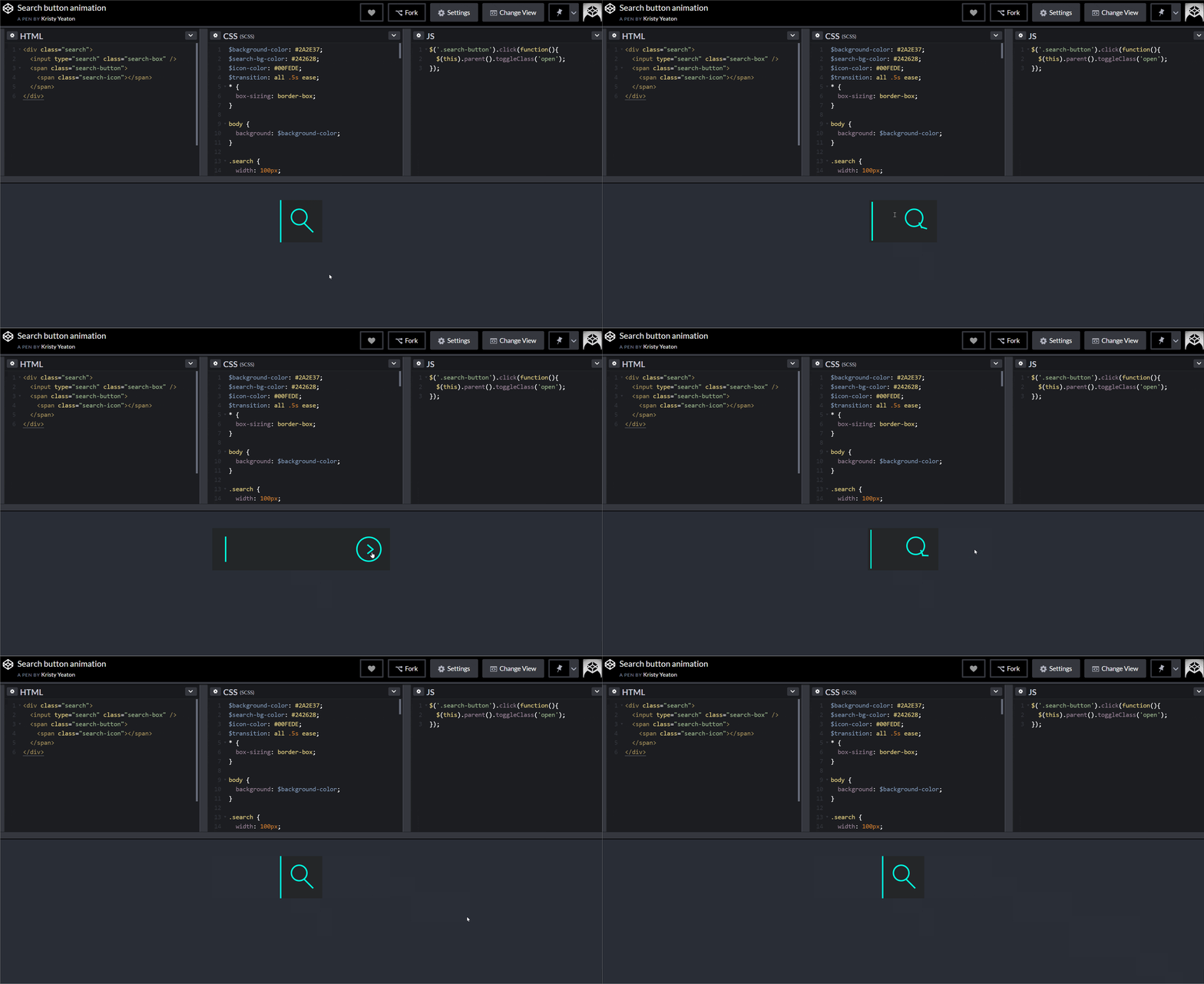
In this search bar design, designer morphs the magnifier icon into the forward button along with the search action. The text prompt uses the pulsing cursor as the input signal.
6. Search Input With Morphing Effect
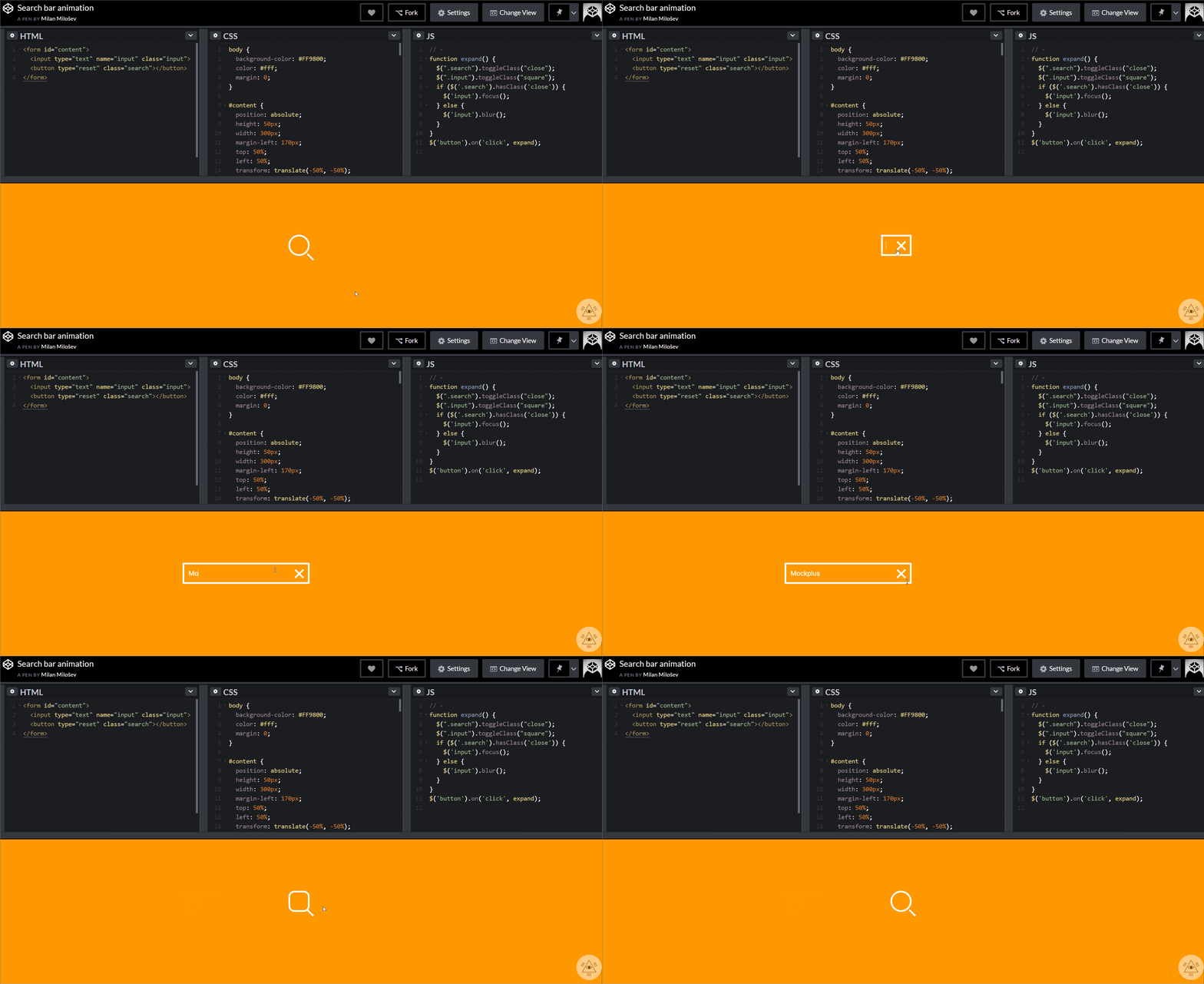
HTML/CSS Code – https://codepen.io/MilanMilosev/pen/JdgRpB
Features: search input morphing effects
When selected, the search icon morphs into a search box. The transformation between magnifier and search box are mainly done with HTML/CSS/JS.
7. CSS Search Field Animation
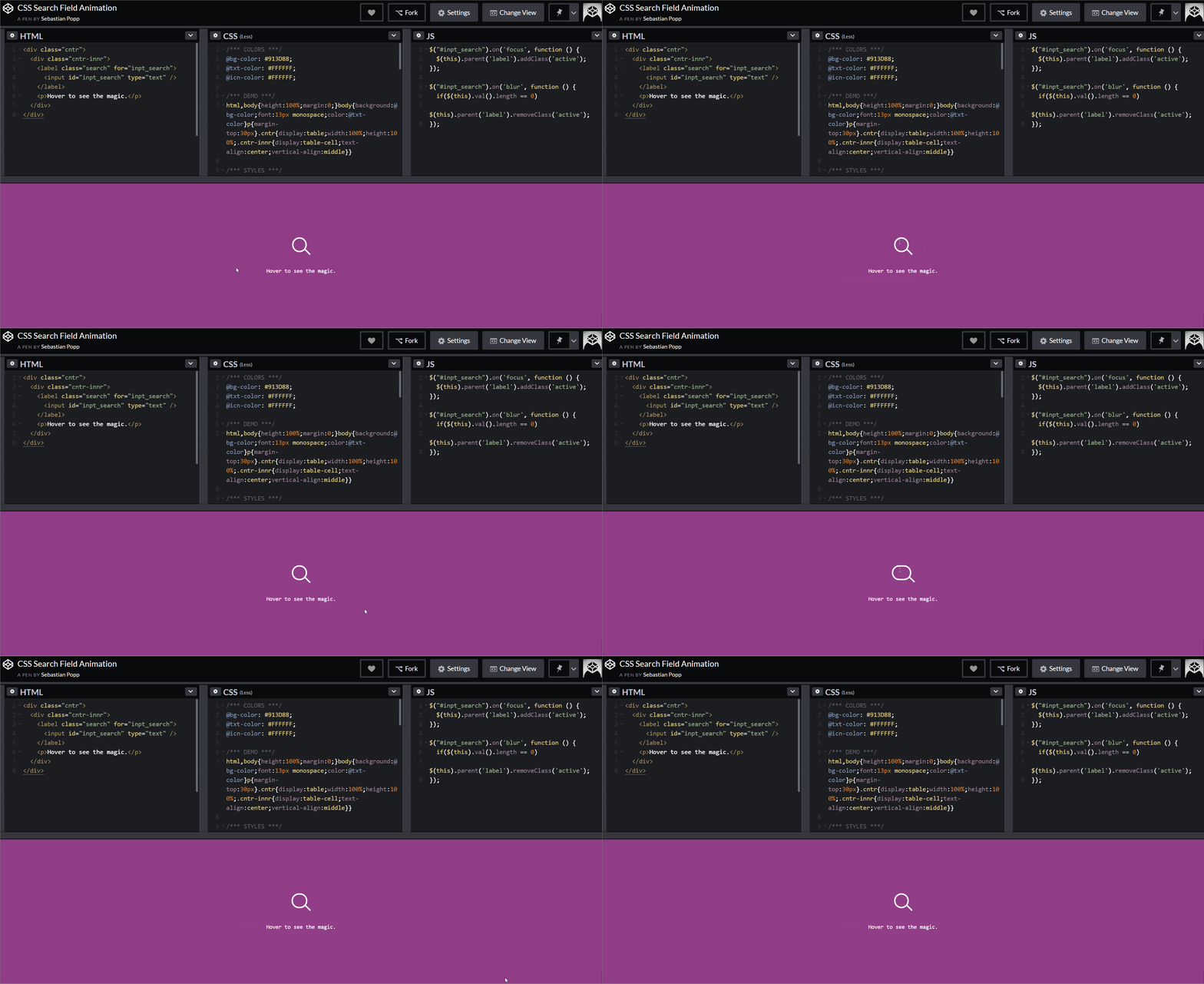
HTML/CSS Code – https://codepen.io/sebastianpopp/pen/myYmmy
Features: Floating CSS search field animation
When the mouse hovers over the magnifier button, the search box expands automatically. This is a good way to eliminate the selection step as you can begin to enter text with a single click.
8. Header Search
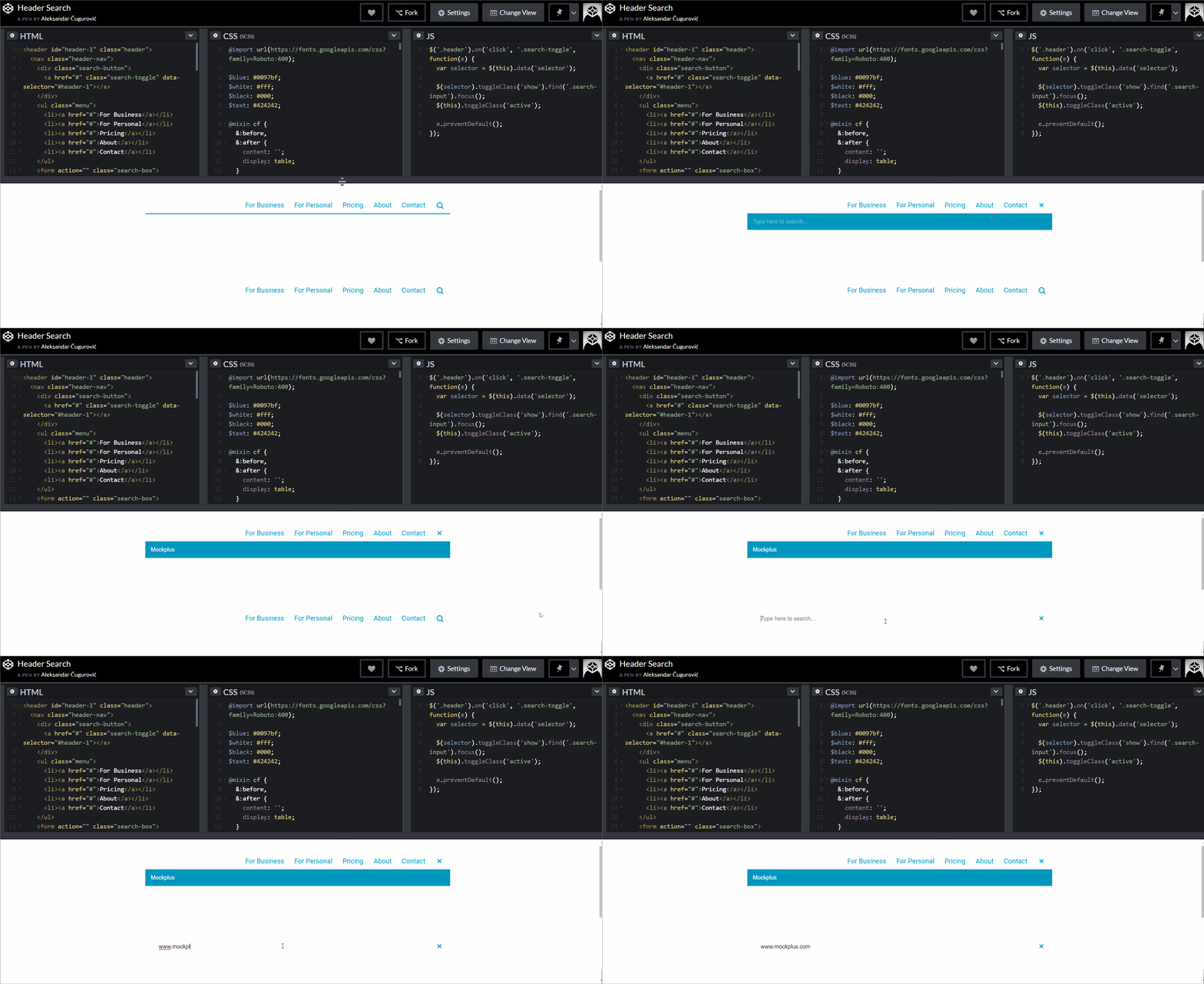
HTML/CSS Code – https://codepen.io/choogoor/pen/NGJVMb
Features:
• Drop-down search
• Navigation bar transition search box
This example shows two top search box styles that are commonly used on web pages.
First, click the search button to pop up the drop-down search box. The advantage is that it does not affect the layout of the navigation bar.
Second, click the search button, the navigation bar transitions to the search box, and the navigation bar disappears. This kind of design saves layout space on the web page.
9. Icon to Search Field Animation CSS

Features:
• CSS animation
• Icon button activates the search
This is a search box designed using CSS. What’s unique about it is that you can put the search button anywhere, and it will expand to a search box by clicking. When you complete a search or click again, the search box is automatically be restored to a magnifier button.
Bootstrap Search Bar Designs with Code Links:
10. Bootstrap Table Search
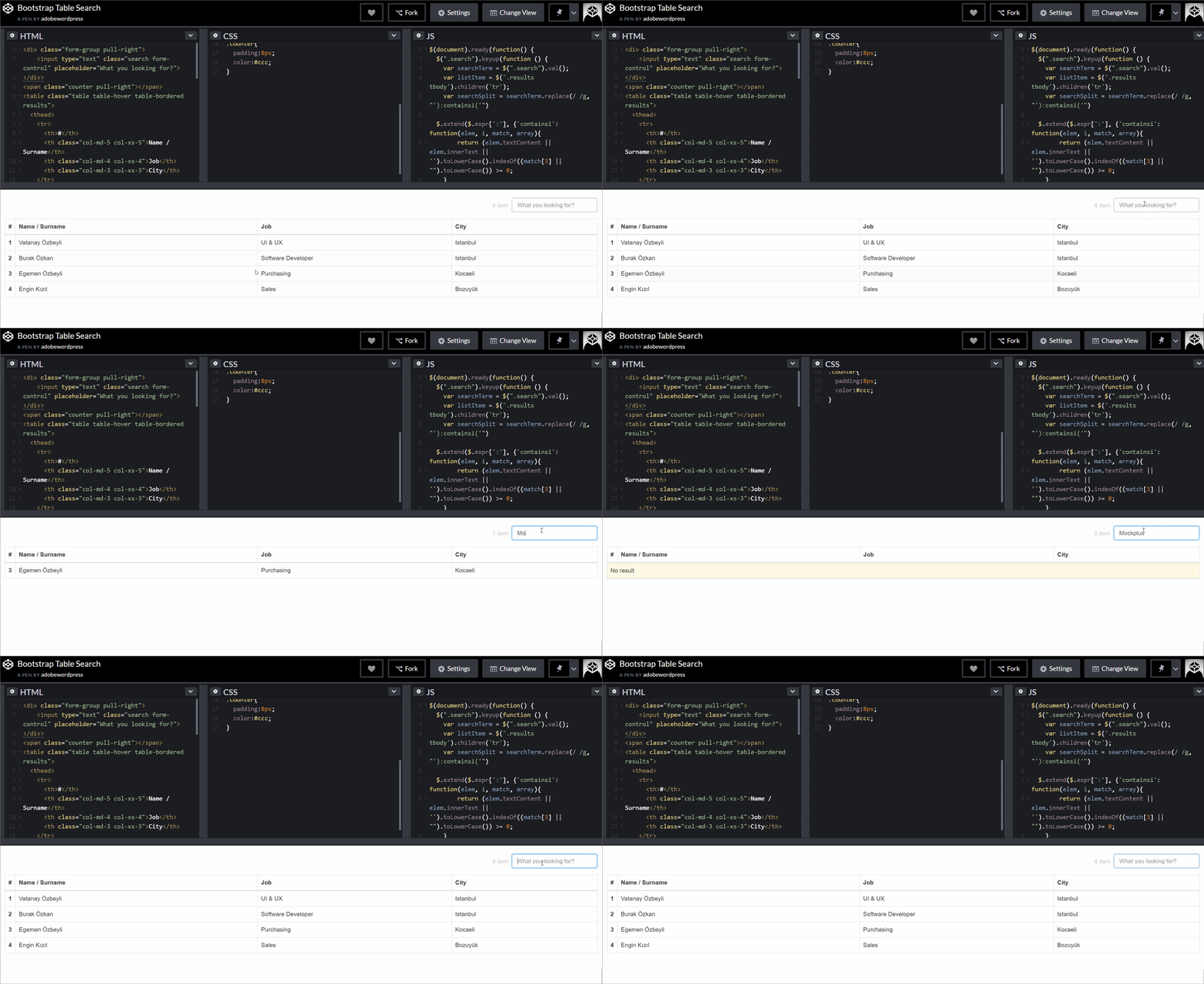
HTML/CSS Code – https://codepen.io/adobewordpress/pen/gbewLV
11. Table Search Bootstrap Accordion
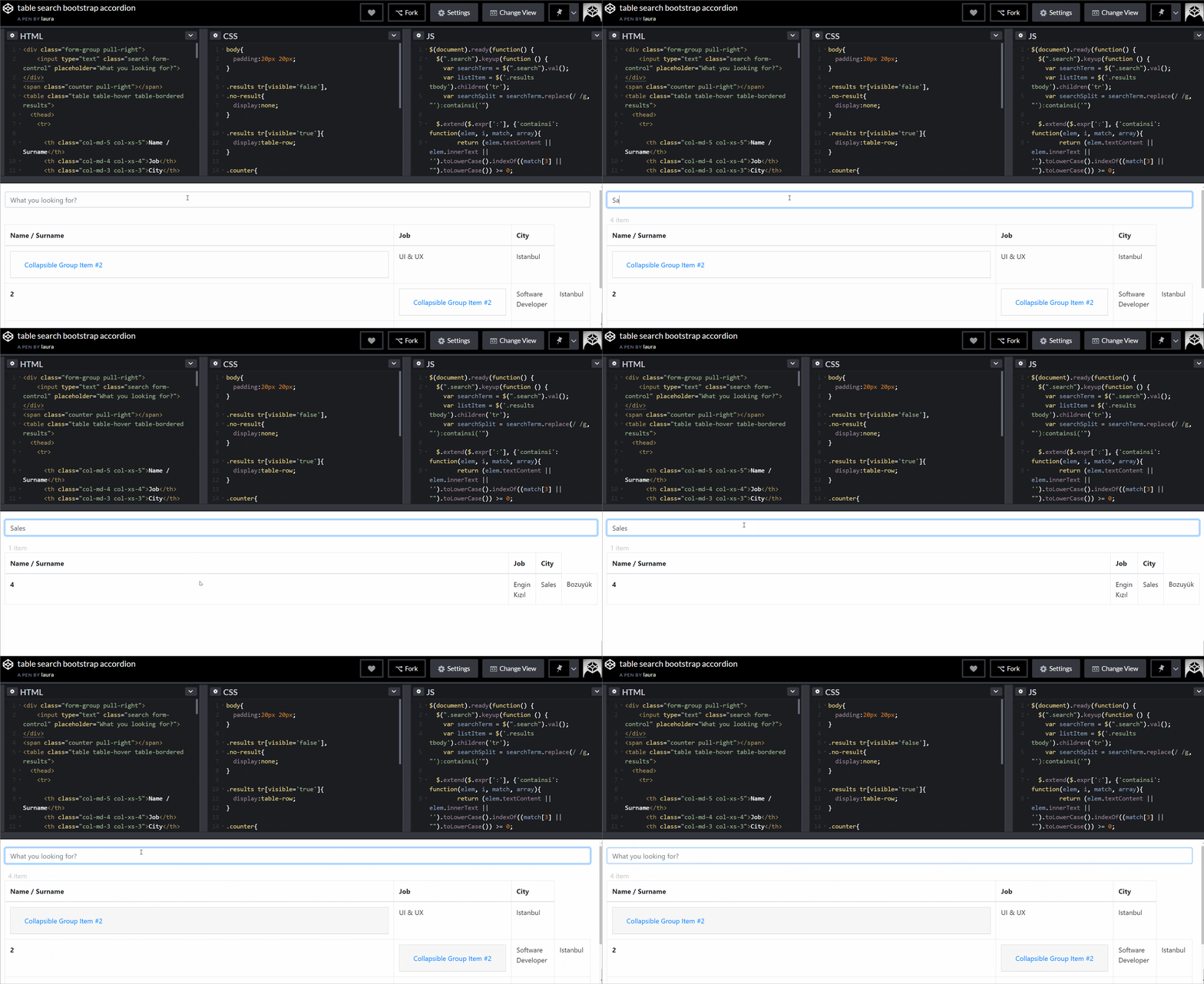
HTML/CSS Code – https://codepen.io/lauraMM/pen/pZoeZG
Creative Search Bar Design Examples on Dribbble for Your Inspiration:
12. Diya – Shopping Web Hero Section
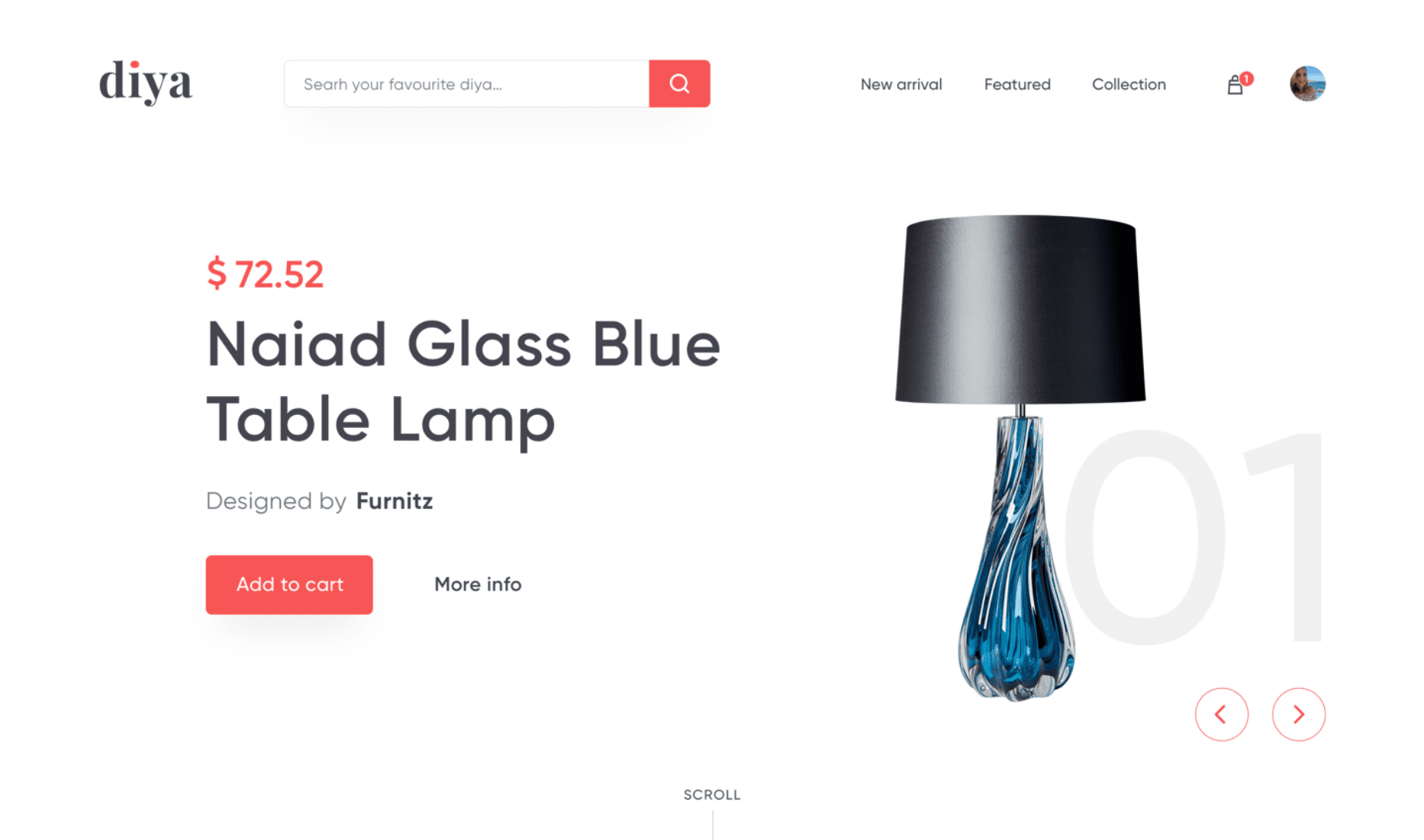
URL – https://dribbble.com/shots/5167231-Diya-Shopping-Web-Hero-Section
Features:
• Favorable search box size
• Compound search
• Search hint button
Experience has shown that it’s appropriate to input 27 characters in a search box. That basically meets 90% of query conditions.
Diya’s search design fits perfectly with this search bar design principle. Because too short input box design only forces users to search for website content with limited characters. As a result, it does not allow search results to be presented in full visuals. That is not conducive to users reading the search results and is not user-friendly.
13. Search Hint
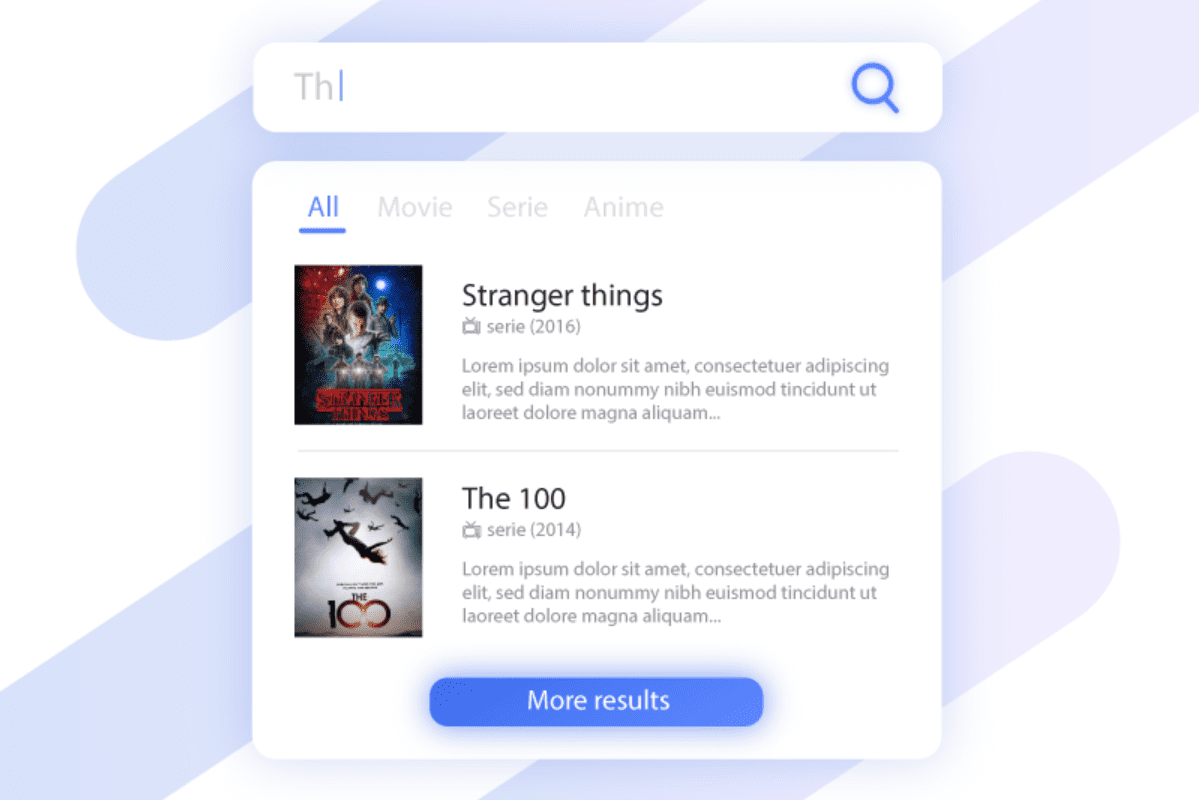
URL – https://dribbble.com/shots/4106506-Search-hint-Daily-ui-22
Features:
• Search result classification
• Keyword association
Search hint is a search bar created for movies. Entering keywords within the app presents search results in real time. Due to the limited screen space of the mobile phone, the search results are presented by category. It helps to improve the conversion. For mobile apps, Search hint is a good reference for getting search bar design inspiration.
14. Video Page
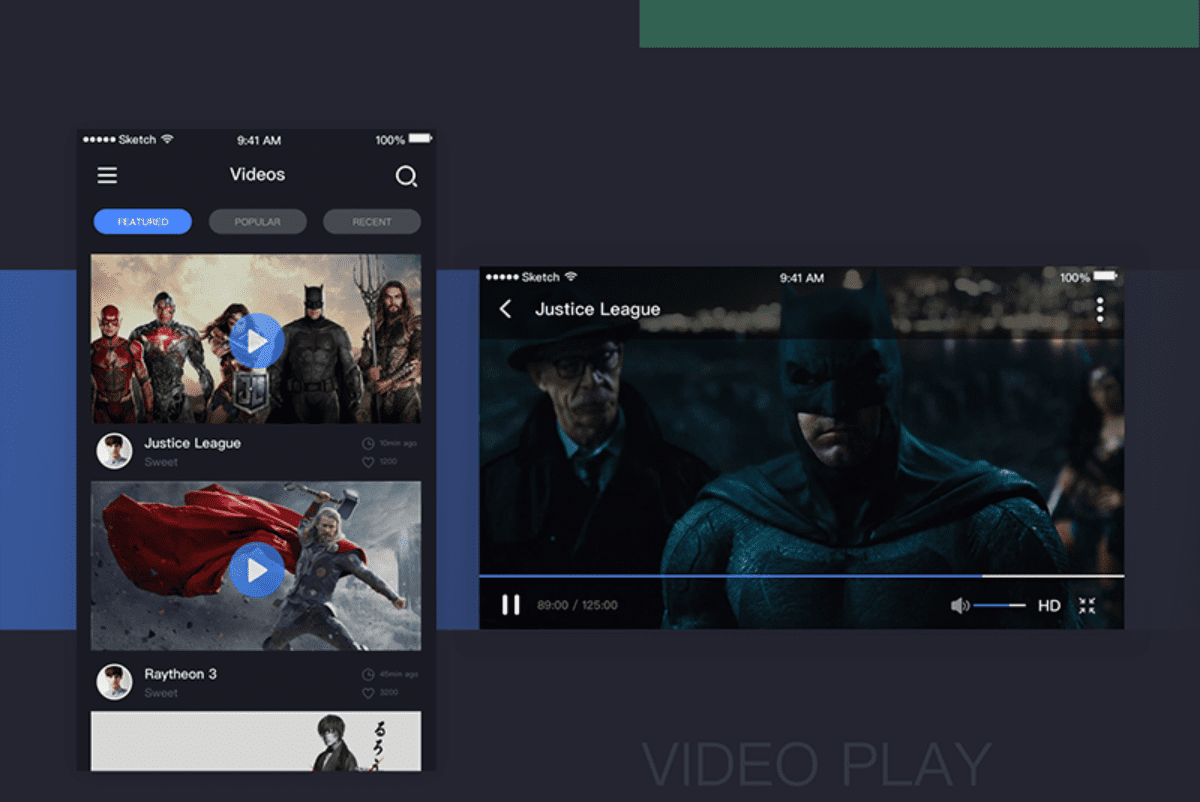
Features:
• Search button to save space
• Input box activates search
Similar to the common mobile app search bar design, the Video page’s search box design is placed on the top right of the screen. In order to save screen space and balance the design of the navigation bar, it is replaced by a simple magnifier button. You can activate the input box by selecting the magnifier. When the search action is completed, the search box will return to its initial state, without affecting the navigation bar or interface.
15. Material Search Bar

URL – https://dribbble.com/shots/4329283-Material-search-bar
Features:
• Search transition effects
• Voice search
This is an example of material search bar design. When not being used, the transparent navigation bar displays a static prompt text. When the search button is selected, a dynamic transition animation is rendered, at the same time, the search function is activated. Also notice the microphone button on the right side, indicating that it supports voice search.
16. Search Icon Interaction

URL –https://dribbble.com/shots/4605344-Search-icon-interaction
Features: search icon interaction
This design is quite interesting. When the search box is selected, the search button will automatically change to a flashing input cursor, prompting the user to perform a search operation. adding visual interest to the search.
17. Chrome Desktop Omnibox
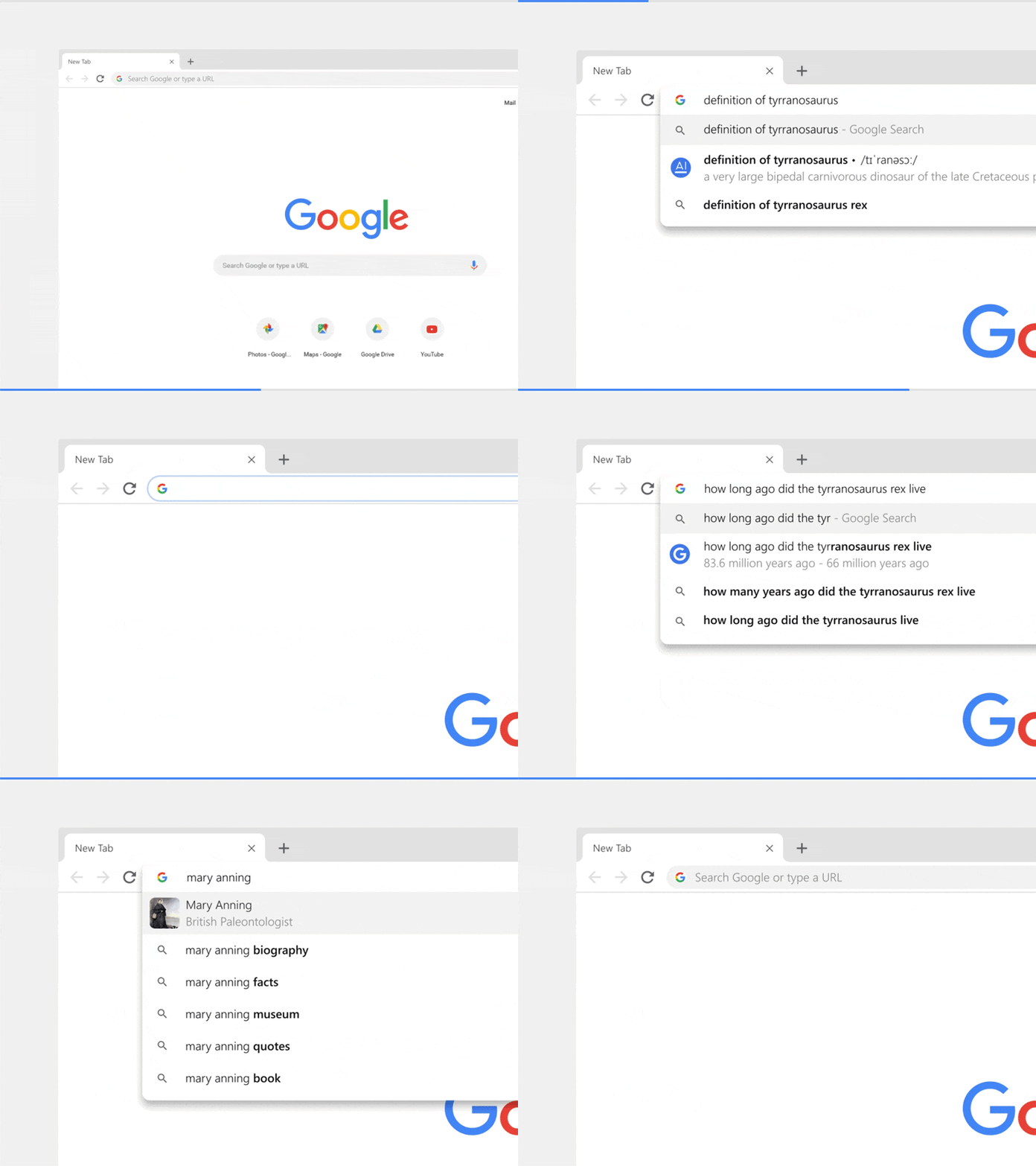
URL – https://dribbble.com/shots/5217905-Chrome-Desktop-Omnibox
Features: desktop search bar + address bar (Omnibox)
The latest Chrome design update uses Omnibox (desktop search bar + address bar) in the search bar design. That is, you can now get the answer directly in the address bar without opening a new tab. Also, if you search for a website in the address bar, Chrome will tell you if it is already open, and allow users to jump to the page directly using “switch to tab”.
18. Search Field Animation Demo

URL – https://dribbble.com/shots/5094907-Search-Field-Animation-Demo
Features:
• Search area extends with the number of characters
• Search icon interaction
Search field animation
This search animation concept focuses on the interactive animation of the search box and the search button as well as exact keyword matching. Compared to the traditional “boring” search function, this example hopes to provide some new search bar design inspiration for designers and developers.
19. Search Bar Microinteractions

URL – https://dribbble.com/shots/5016801-Searchbar-Microinteractions
Features: continuous micro-interaction of swing and bouncing
This is a very interesting micro-interaction search box design concept. The search button changes to a search box after a continuous swing bounce. The entire search box participates in this dynamic effect. This kind of active search bar design is most suitable for children’s apps or games, not for serious, more conservative apps.
20. Search States
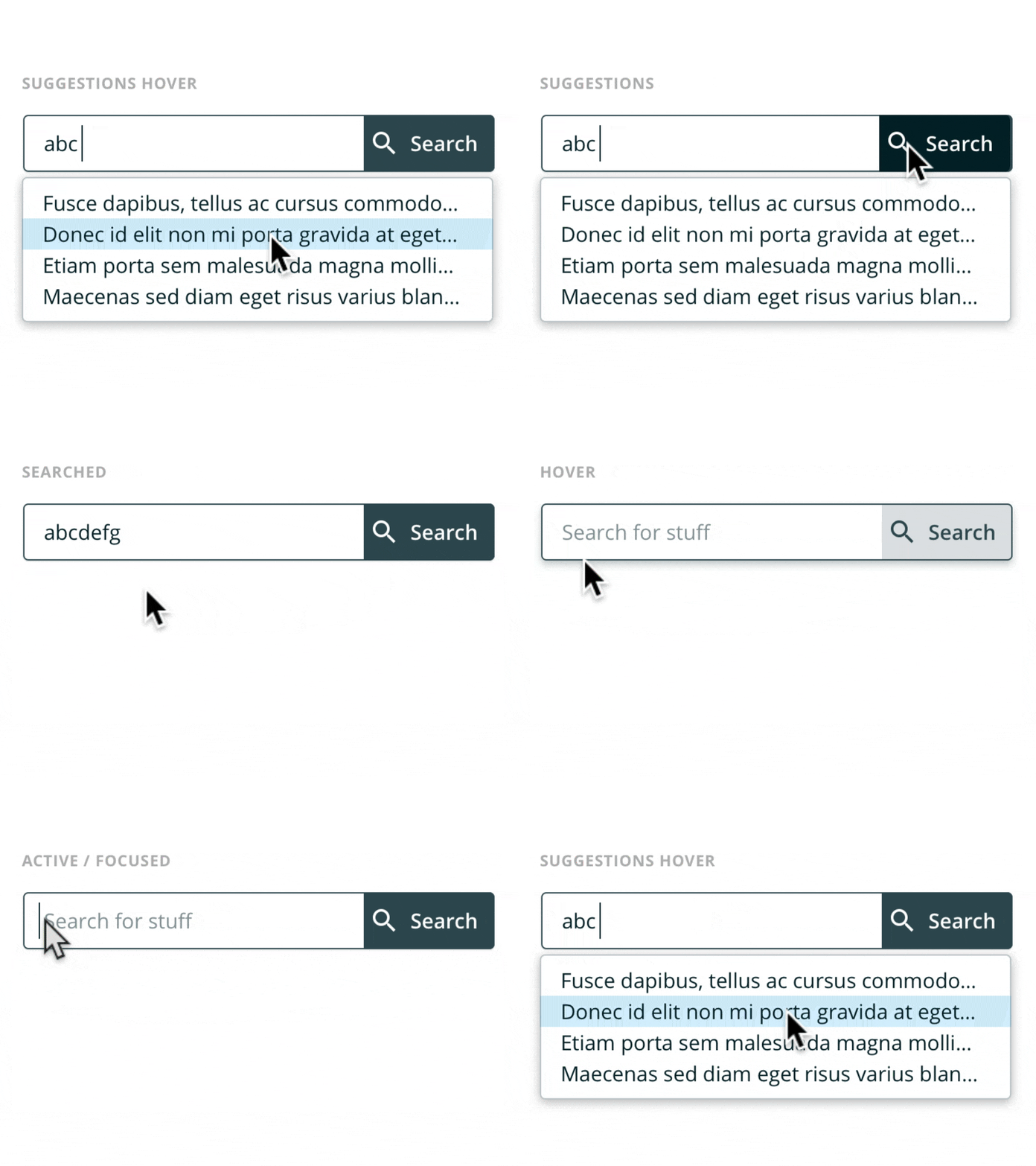
Features:: different search status
Designers should be obsessed with the design details. In this search bar design, several different search states are shown in detail, namely default, hover, focus, suggestion, search, and so on. Each state corresponds to a different design detail.
The above 20 excellent search bar designs or search box designs each focus on different aspects. Some of them focus on the search box’s style and interaction design, while others focus on functions, while yet others focus on design and development techniques.
Basic Tips for How to Design an Interface Search Bar
Here are some useful tips for the search bar interface design. The amount of interaction or animation you’ll wish to add will depend on your situation.
1. Define the style of the search bar
• Fill color: Usually, the fill color of the search bar will be one that contrasts with the background color of the page, allowing it to be easily seen.
• Wireframe: mostly used for clean and simple background pages
• Projection: Commonly used for simple and lightweight styles, and higher search functionality.
• Transparency: Commonly used in scenes with complex background colors. The purpose is to be more visually harmonious without damaging the overall interface design of the background page.
• No borders: For large and white pages with a clean style.
2. Search box radius type
• Right angle
• Rectangles with radius: The most commonly used is 4~8px
• Capsules: For a lively, young, and affable brand style.
• Alien
Conclusion
Hopefully, the search bar design examples and analysis above, have helped illustrate how important an excellent search bar design is in improving the user experience of an application or website. Different scenarios need to accommodate different search functions in order to enhance the search experience. We hope this has helped you find some search bar design inspiration for your own work.
